Enterprise Solution for Agencies and Marketers
- Custom Domain
- Your Branding
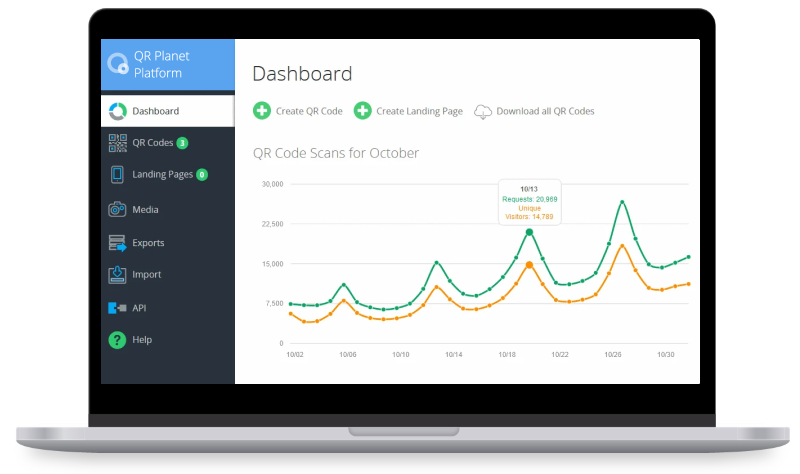
Our QR Code Manager is available as a fully private-labeled platform. Your customers will never know we exist, so you can take all the credit! Just link your domain to our server and provide us with your Logo and Brand Name to get started.
White Label QR Code ManagerOur free QR Code generator allows you to create QR Codes in various formats, manage them and analyze the usage of your QR Codes with pinpoint accuracy.

|
Product folder
with features & prices |
The platform offers you all the tools you need to use QR Codes in your advertising materials and to analyze the scans of your QR Codes in a data protection compliant way.

|
GDPR compliant
according to EU law |
With our QR Code Generator you can create QR Codes for business cards, apps, coupons, PDF documents or audio files and much more. The following guide will give you valuable tips.

|
Complete Guide
for using QR Codes |
Advanced features

Dynamic QR Code
Generate a dynamic QR Code and link the code to any website. Change the target URL of a dynamic QR Code anytime without printing the QR Code again.

Scanning Analytics
Obtain analytics about the number of unique visitors, total number of scans and detailed information about each scan. Our tracking is fully GDPR & CCPA compliant.

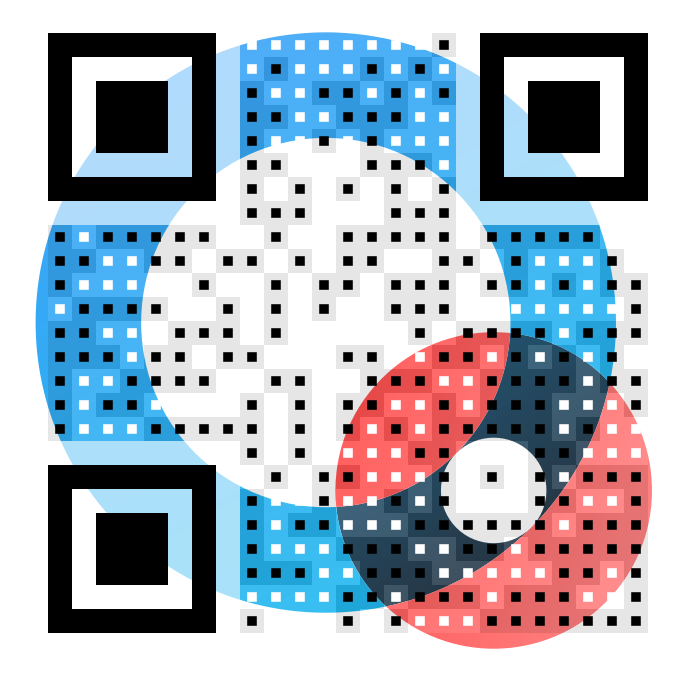
Designer QR Code
Design QR Codes with your colours, shapes and logo to match your corporate identity. Online designer tool. No Photoshop needed and ready to print QR Codes.

QR Code Tracking
Get high accurate tracking positions of your visitors by requesting the location from a user's phone. Use this feature if you want to know, where the QR Codes were scanned.

Batch QR Codes
In the batch creator you can generate mass QR Codes with just one click. Each QR Code is personalized. This is accomplished by encoding a unique id in each QR Code.
For Gastronomy and Hotel Industry
- Digital Menu
- Contactless
- Secure

Especially in times of COVID-19 QR Codes help your guests to be more secure and comfortable. Use QR Codes to link customers to your digital menu, send them to your social networks to collect feedback or issue them vouchers to retain your customers.
Digital Guest List
- For Covid19 Contact Tracing
- GDPR compliant
- Free
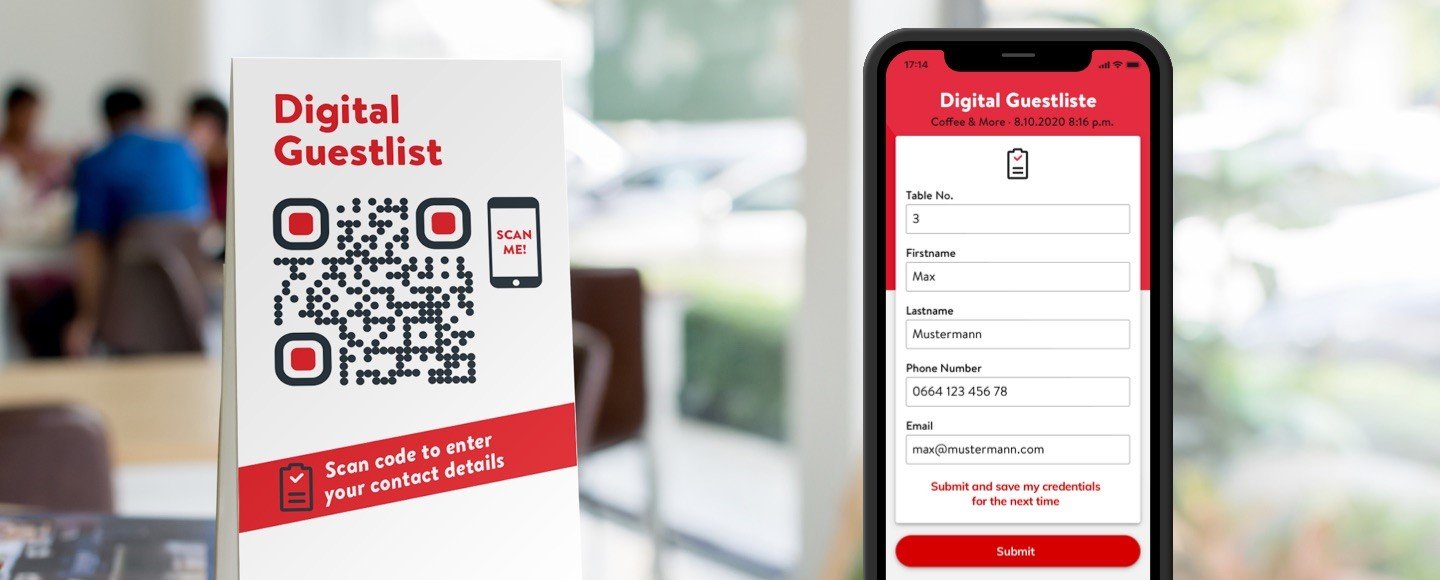
If the guest scans the QR Code on his table, he can leave his name, telephone and email address in order to be notified of a suspected COVID.
Which QR Code types can I create for free?
With our QR Code Generator you can create your suitable QR Code.
Our QR Code generator will turn your content into a QR Code.
 QR Code - Website
Link / HTML code
QR Code - Website
Link / HTML code
 QR Code - PDF
 QR Code Business Card
 QR Code - Audio
 QR Code - Social
 QR Code - Coupon
 QR Code - Appstore
 QR Code - Text
QR Code content
QR Code - Text
QR Code content
 QR Code - YouTube
 QR Code - Mail
 QR Code - WhatsApp
 QR Code - Phone
 QR Code - Text message
 QR Code - Image
 QR Code - Multi language
 QR Code - WiFi
 QR Code - Bitcoin
 QR Code - PayPal
Free QR Code Manager
Our QR Code platform is an all-in-one solution to help you in creating successful mobile marketing campaigns. You can track who scans your QR Codes and analyze your audience to optimize your advertising strategy.
QR Codes are free for commercial use and will never expire.
GDPR & CCPA compliant
The difference between static QR Codes
and dynamic QR Codes
and dynamic QR Codes
When you scan a QR Code, you are usually redirected to a web page. The web page can now be called up via a static QR Code or a dynamic QR Code. Please note that a static QR Code has no expiration date and as long as the website or the target URL is online, the QR Code will work. But caution is advised, because a static QR Code cannot be changed afterwards.
The case is particularly annoying if you print static QR Codes in large numbers on business cards, magazines, table displays, etc., but afterwards you have to change the target URL. This is where dynamic QR Codes come into play. The big advantage of dynamic QR Codes is that you can adjust the target URL of your created QR Code afterwards.
In addition, you have other advantages in tracking. You can track by whom, when and from where the QR Code was called (and the tracking is completely privacy compliant). With our QR Code Generator you can create static and dynamic QR Codes. The QR Codes created with our service are free of charge and no ads are displayed.
You are in good company

The Landing Page behind the QR Code
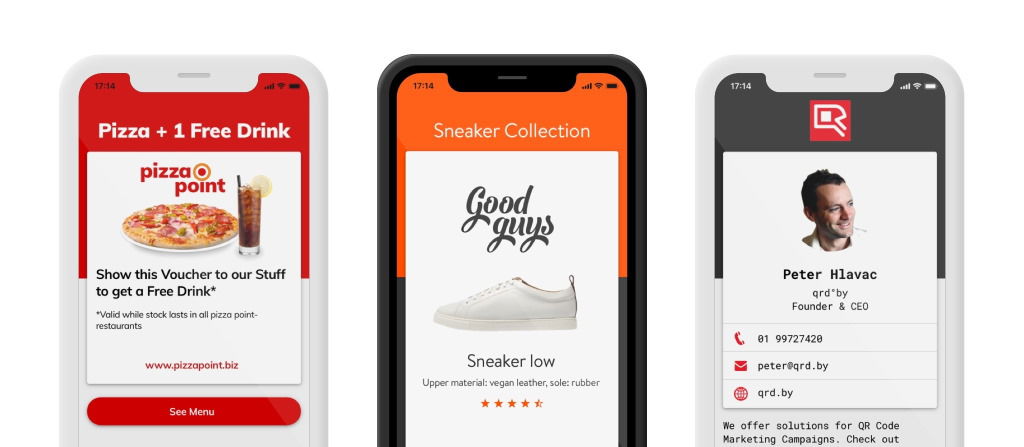
Generate a mobile-friendly landing page "behind" the QR Code. A landing page is easy to create and your customers will have a great user experience after scanning the QR Code. For example, generate mobile coupons to drive more customers to your business, sell your products directly through your mobile shop or exchange your contact information.

Scan Notifications
Get an E-Mail notifications whenever one of your QR Codes is scanned, including device info and location. Catch up with potential customers that might be in your vicinity when scanning the code.

Scheduled Redirects
You can set how often and at which time a user is redirected to a specific website, after scanning the QR Code. The routing automatically adapts to the time zone of the user.

Secure QR Codes
The URL encoded in the QR code runs over a secure HTTPS connection. If the destination URL is no longer available or broken, you will receive an email.

Export your Data
Export your statistics of all your QR Codes with the creation date, first & last scan date, the number of scans, the number of unique visitors.
Custom Shortened URLs
URLs are automatically shortened when creating a trackable QR Code. Shortened URLs contain a non-human-readable string e.g.
https://qrplanet.com/x514b6
However, you can set a customized URL instead:
https://qrplanet.com/my-free-voucher
Those URLs are called Vanity URLs.
You will gain a user's trust, if he sees a customized URL instead of a random value. By setting a custom URL, you can also give the user a notion of what awaits him after scanning the code.
You can completely brand the URL with your own domain, by using our White Label QR Code Platform
Frequently asked Questions
How to generate QR codes?
You can generate QR codes for free. Here we explain you step by step how to do it:
- Choose what type of content that you want the QR code to link to: URL, map, email, text, SMS, wifi, Vcard or PayPal.
- Fill in the necessary fields to generate the QR code.
- If you want, change the background color and/or color of your code, choose the size and precision and add a logo.
- Click on the "Generate QR code" button.
- Download the QR code you just generated by clicking on "Download PNG".
Please check out our QR Code printing guide for professional printing tips.
Are QR Codes for free?
Yes, QR codes are free to use
Yes, the term QR Code (QR = Quick Response) itself is a registered trademark of Denso Wave Incorporated, but the use of QR codes is free.
The QR Codes that you create on our website can be used free of charge and commercially and you can create as many static QR codes as you want. You can choose from fancy designer QR Code templates and use your own colors and your own logo.
Learn more about the history of QR Codes or create your QR Code now.
Be careful when choosing a QR Code service
Always be careful when using a QR Code service, to avoid unpleasant surprises.
Some providers display ads
When creating a QR Code some QR Code providers route the user through a landing page first, where an ad is displayed before continuing to the target URL.
Some providers trick you into free accounts which are paid accounts
There are also providers where it is not immediately obvious that the offer is chargeable and the QR Code only continues to work when payment is made.
A provider may go bankrupt
If you create a dynamic QR Code another risk is if the tracking server goes offline, the dynamic QR Code will not work anymore.
Therefore, we recommend you to use our fast and secure infrastructure. Our service does not display any ads and you can create both – static and dynamic QR Codes – for free. Moreover, we offer you a white label solution to create dynamic QR Codes that can contain your own domain. This ensures you always have full control over your QR Codes, and you are not depended on our service. You can change to a different provider and export all QR Codes from us at any time.
I have already created and printed my QR Code. Can I change the URL of my QR Code?
Yes, in a dynamic QR Code you can change the destination URL at any time. Static QR Codes have the destination address is permanently entered and the URL can not be changed after creation. Learn more about a static versus a dynamic QR Code.
Do my QR Codes expire?
No.
Static QR Codes never expire since the target URL is encoded in the QR Code and you will be redirected to the URL directly.
Dynamic QR Codes in your free account will never expire, except you will delete the QR Code yourself or the target URL is redirecting you to an expired website. Our broken link checker will always keep you informed if your QR Codes are not working.
After the evaluation period on one of our paid subscription plans, your account will be deactivated and therefore your QR Codes will stop working if you do not subscribe. However, once subscribed your QR Codes will not expire if you have been a customer for at least one year and if you have no pending invoices.
Are you displaying ads or banners when scanning a QR Code?
No, we do not display any ads.
Our platform does not show ads in any context. What you are probably seeing are ads from your QR Code scanner application. Some developers create QR Code readers that display adds while scanning the QR Codes. This is a really bad experience for the user. Here you will find free, fast and robust alternatives that will make scanning a better experience with no ads.
Best QR Code ScannerWhat is the minimum size of a QR Code?
A QR code with a length of up to 72 characters (this is the length of a typical URL) should be printed in a size of 2 x 2 cm when scanned from a distance of 20 cm. Theoretically, smaller sizes of 1 x 1 cm are possible on modern smartphones with a camera that supports autofocus. Learn more in our post Minimum Size of a QR Code.
Is a QR Code still readable when some areas of the QR Code are damaged?
When creating a QR Code, a certain level of error correction can be specified so that the code stays readable, even if the QR Code is partially damaged or hidden. There are 4 different levels:
- Level L - up to 7%
- Level M - up to 15%
- Level Q - bis 25%
- Level H - up to 30% may be damaged
The higher the error correction, the more the QR code can be damaged, but the bigger is the size of the QR Code. Learn more about this topic in our post QR Code error correction.




This website uses necessary cookies to ensure that our website is ideally usable. We do not use cookies that process personal data without your prior consent. Read our Cookie Policy